 Sign inSign up
How to use WEFAMIConnect
Joining two households
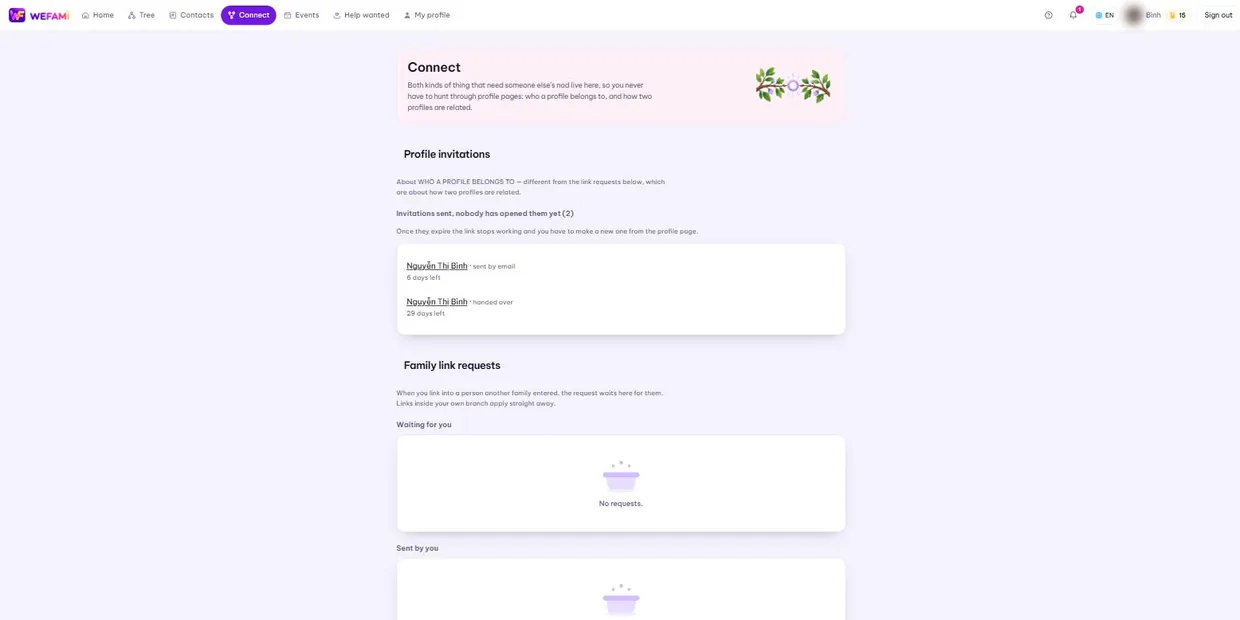
Both kinds of thing that need someone else’s nod live here, so you never hunt through profile pages.
1Two kinds of request — keep them apart
A profile invitation is about WHO A PROFILE BELONGS TO.
A family link request is about HOW TWO PROFILES ARE RELATED. Different questions, so they get separate blocks.
2Link requests
When you link into a person another household entered, the request waits for them. Links inside your own branch apply straight away.
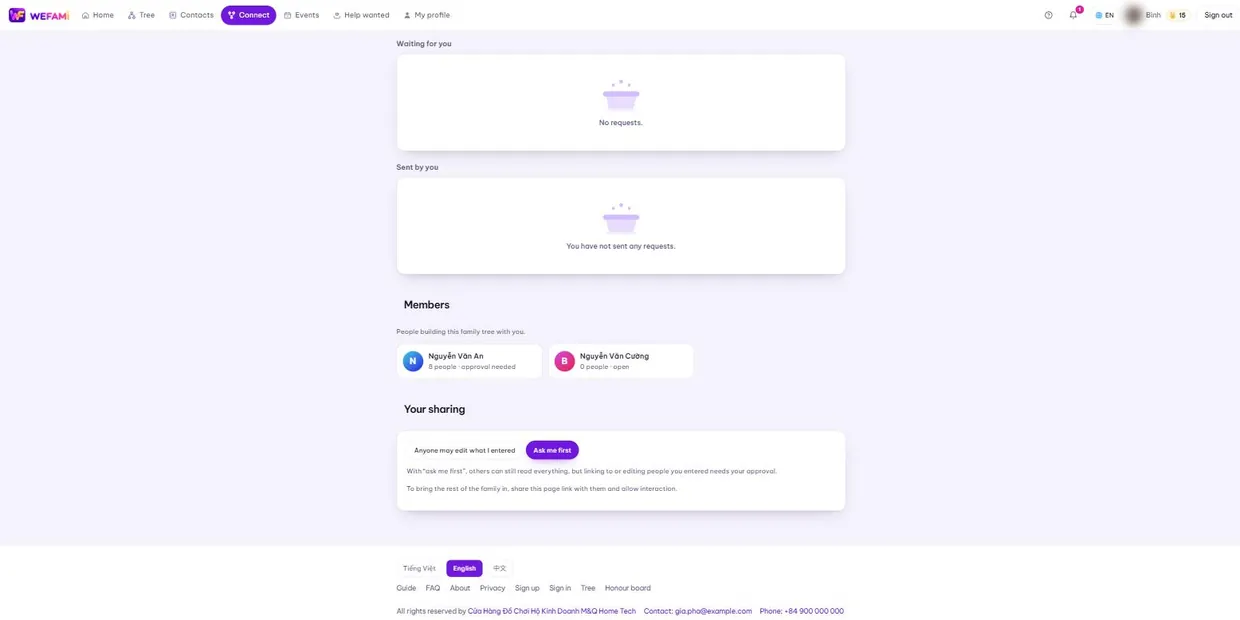
The two boxes, Waiting for you and Sent by you, say which side a request is sitting on.
3Members
Everyone building this tree with you, with how many profiles each entered and which sharing setting they chose. When a profile looks wrong, this tells you who to ask.
4Merging duplicates
If two households both enter the same grandfather, the tree has two of him. The last part of this page finds likely duplicates — same name, same birth year, same parents — and offers to merge them.
Merging pulls every relationship, photo and post from both profiles into one.
A merge cannot be undone. Read both columns carefully before pressing it; if you are unsure, skip it. Two separate profiles are easier to live with than two different people fused into one.
Support
Stuck on anything, however small, just write. Nothing is a silly question the first time you use something.
Calling during Vietnamese office hours is quickest; outside those hours write instead and you will hear back the next working day.
For a bug, please say: which page you were on, what you clicked when it broke, and whether you are on a computer or a phone. A screenshot helps. Never send your password — we will never ask for it.