 Sign inSign up
How to use WEFAMIInviting relatives
Inviting relatives in
Nobody types a whole lineage alone. Three ways to bring the rest of the family in.
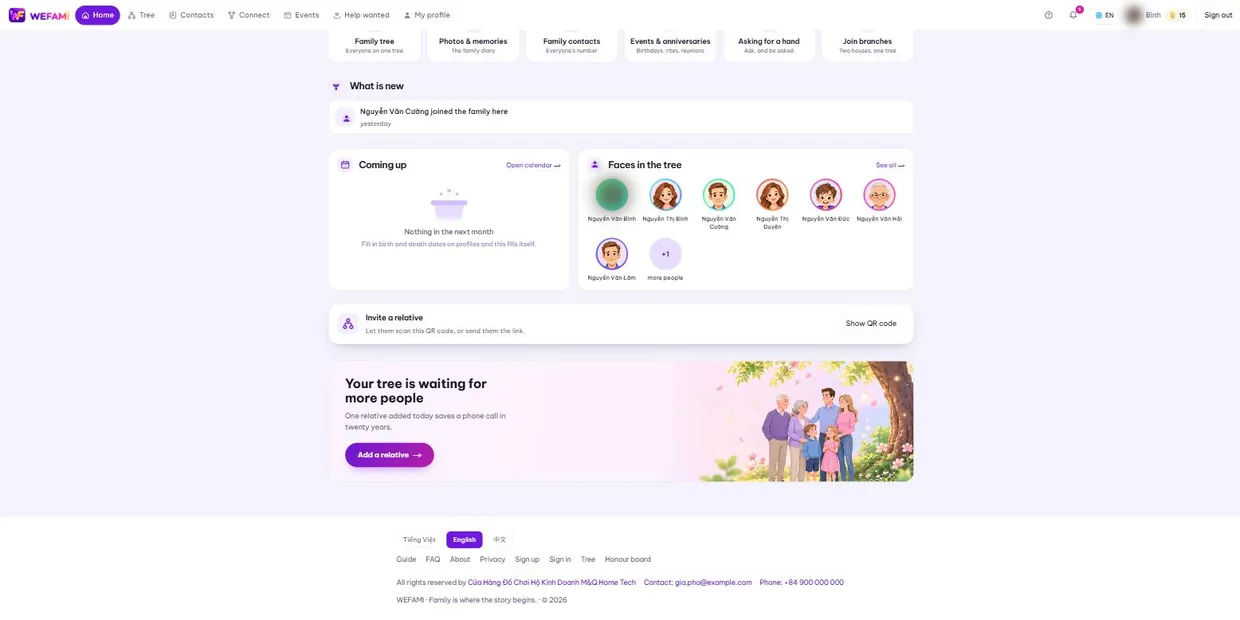
1The QR code on the home page
The Invite a relative box near the bottom of the home page shows a QR code. Hand your phone to the person beside you, or send the link over Zalo.
Whoever scans it lands on the sign-up form, and their new account joins your tree automatically.
2Inviting one person to claim their own profile
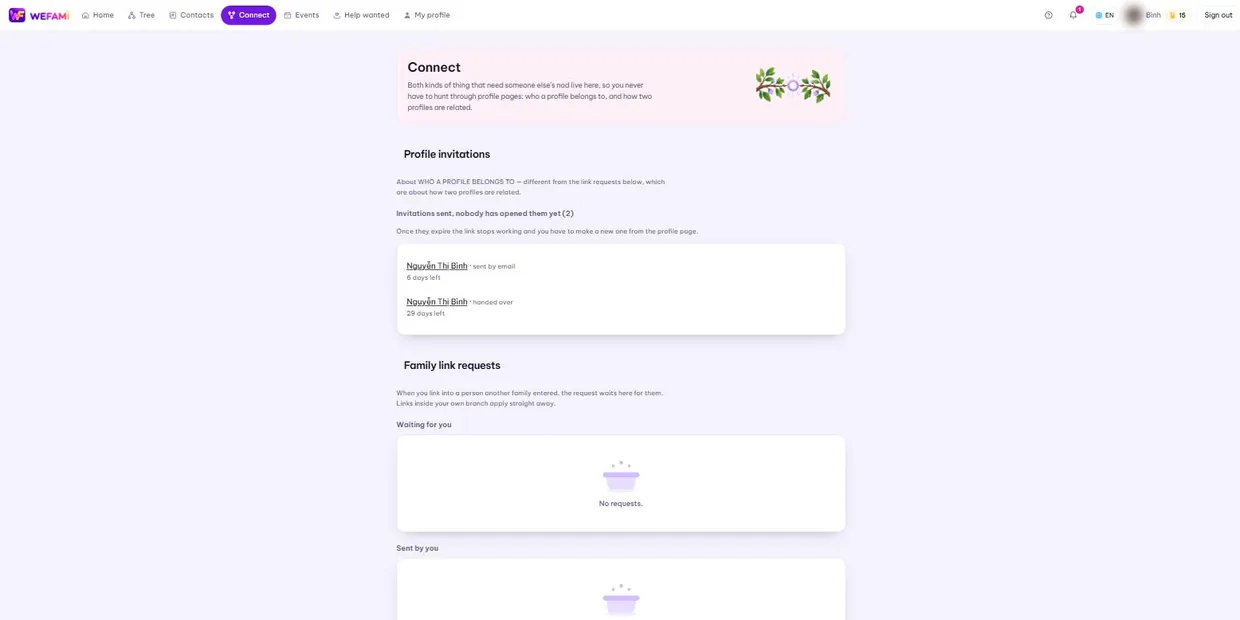
Different from the open invitation above: this one says "this profile is yours, take it".
Open their profile page and press the invite button. Two routes: send it by email, or make a link to hand over in person.
3Links expire
The hand-over link is short-lived and carries a countdown on screen; under a minute it turns red. An emailed one lasts longer.
Once expired the link stops working and you make a new one from the profile page. That is deliberate: a link that hands over a whole profile to whoever holds it should not live forever.
4When someone claims
You get a notification and a card asking you to confirm: is this the right person? That card has a thick purple border because this is a place to stop and read — approving the wrong person hands them a whole profile.
Once you approve, the profile passes to its owner: they maintain their own details from then on, and their card on the chart shows the orange tick.
Support
Stuck on anything, however small, just write. Nothing is a silly question the first time you use something.
Calling during Vietnamese office hours is quickest; outside those hours write instead and you will hear back the next working day.
For a bug, please say: which page you were on, what you clicked when it broke, and whether you are on a computer or a phone. A screenshot helps. Never send your password — we will never ask for it.