 Sign inSign up
How to use WEFAMIContacts
Family contacts
The chart is the whole lineage. Contacts are the people you actually ring.
1Saving someone
Open their profile and press save. From then on they appear here with their phone number and email — if they let you see those fields.
Your contacts are yours alone: nobody else can see who you have saved.
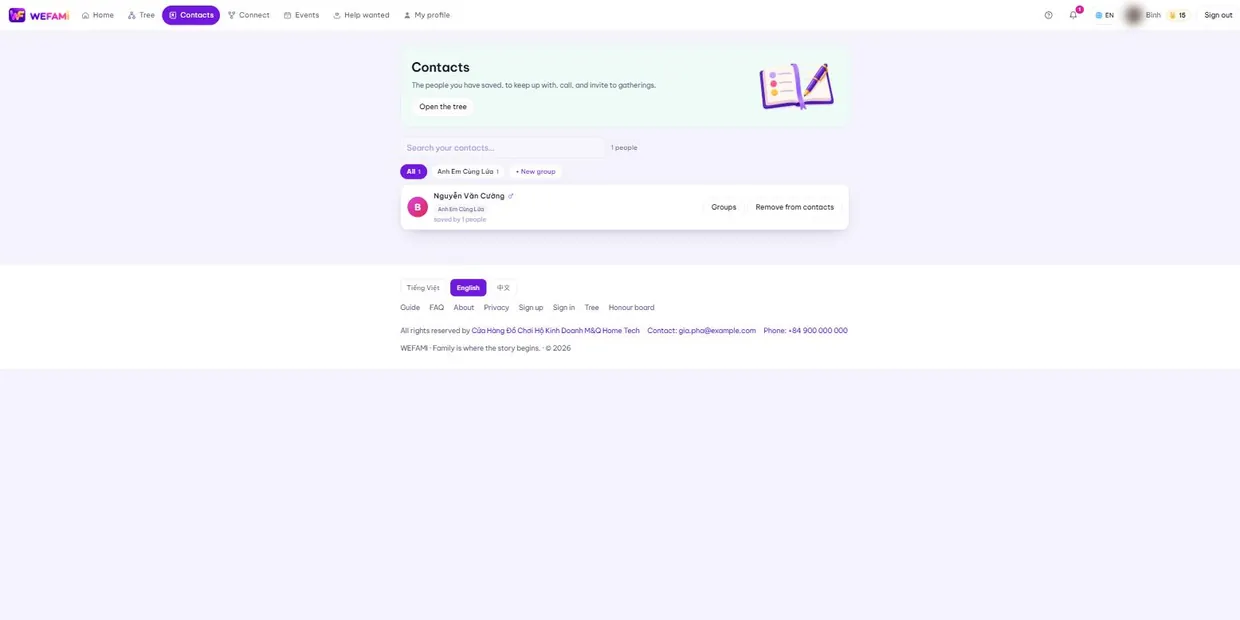
2Groups
Press + New group and name it — "cousins my age", "mother’s side", "memorial committee". One person can sit in several groups.
Groups come back when you invite people to an event: instead of ticking names one by one, pick the group.
3Searching
The box at the top filters by name as you type. The number on the right says how many are left.
Support
Stuck on anything, however small, just write. Nothing is a silly question the first time you use something.
Calling during Vietnamese office hours is quickest; outside those hours write instead and you will hear back the next working day.
For a bug, please say: which page you were on, what you clicked when it broke, and whether you are on a computer or a phone. A screenshot helps. Never send your password — we will never ask for it.