 Sign inSign up
How to use WEFAMINotifications
Notifications and reminders
The bell in the top bar, and choosing what it should tell you about.
1The bell
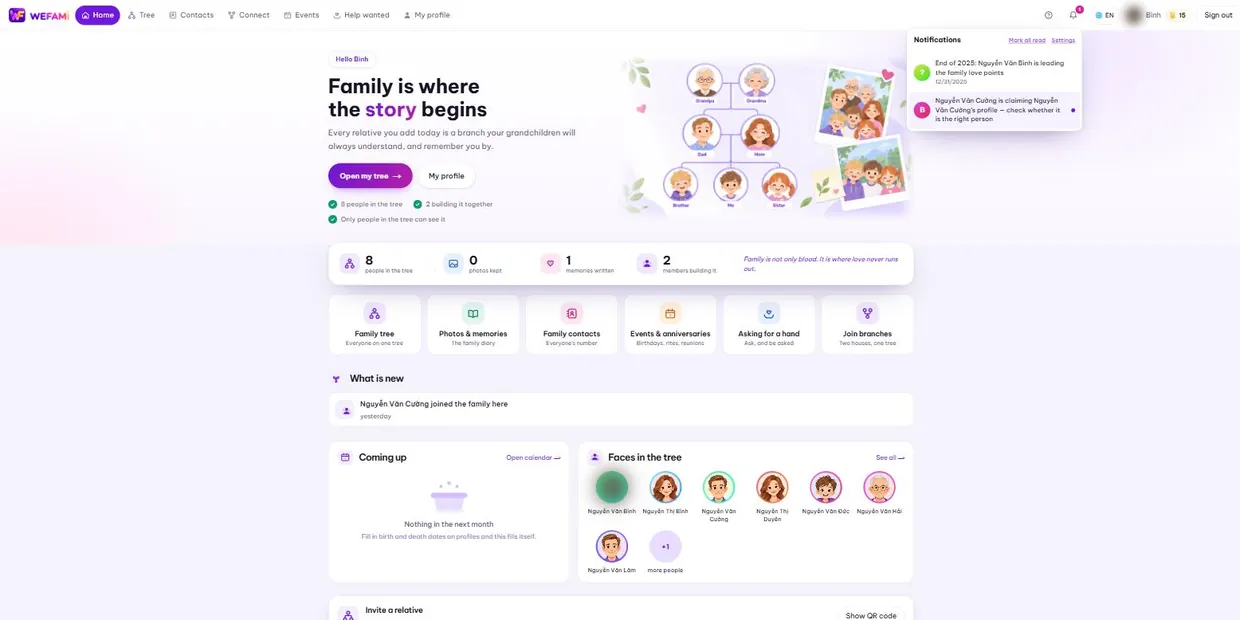
The red number is how many are unread. Press the bell to open the panel; pressing a row marks it read and takes you where it points.
On a phone the panel drops down as a wide strip just under the top bar.
2What you get told about
- A relative’s birthday coming up, or today.
- A memorial day coming up, or today.
- An event invitation, an event moved, an event cancelled, someone replying to yours.
- Someone claiming a profile, or your invitation being accepted or refused.
- A new request for help, someone taking one on, one finished.
- Someone new joining the tree.
3Choosing what to be reminded of
Go to Account → Notifications. Turn birthday and memorial reminders on or off separately, set how many days ahead, and choose the solar or lunar calendar.
The Who to remind me about box narrows the range: close family only, relatives, or everyone. In a large family, leaving it wide means a bell every day.
You are only reminded about profiles whose birth and death dates you may see. A date hidden by its permissions never surfaces here either.
Support
Stuck on anything, however small, just write. Nothing is a silly question the first time you use something.
Calling during Vietnamese office hours is quickest; outside those hours write instead and you will hear back the next working day.
For a bug, please say: which page you were on, what you clicked when it broke, and whether you are on a computer or a phone. A screenshot helps. Never send your password — we will never ask for it.