 Sign inSign up
How to use WEFAMIProfile page
A person’s page
Click any name to open their page. This is where one person’s story is kept.
1Three tabs
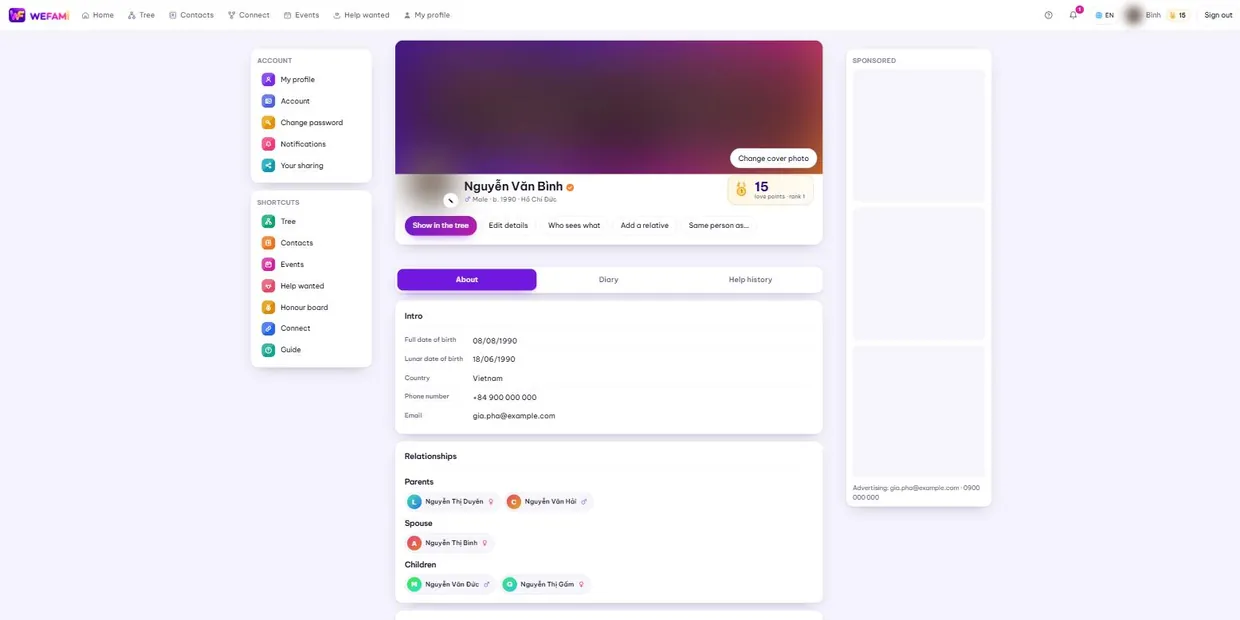
Under the cover photo are three tabs. About is the recorded detail; Diary holds posts and memories about them; Help history shows what they have asked for and what they have done for others.
2What you can record
Beyond name and dates: the name they are called at home, a foreign name, an ID number, where they are from, where they live, work, schooling, interests, and a life story.
Enter a birth date in the solar calendar and the lunar date appears below it, and the other way round — no need to look it up.
- Social links — paste one in and the page works out whether it is Facebook, Zalo or YouTube.
- Shared documents — a photographed old lineage book, video of a memorial, a grave inscription. Add a line saying what it is, so whoever finds it later knows.
If you are not sure of the exact date, leave it blank or record only the year. Fill in what you know; the rest can come later.
3Someone who has died
Their profile gains a burial place and burial type. The burial place takes either a written address or coordinates.
With coordinates the page shows a button that opens Google Maps directly — relatives coming from far away can find the grave without phoning ahead.
4Relationships and album
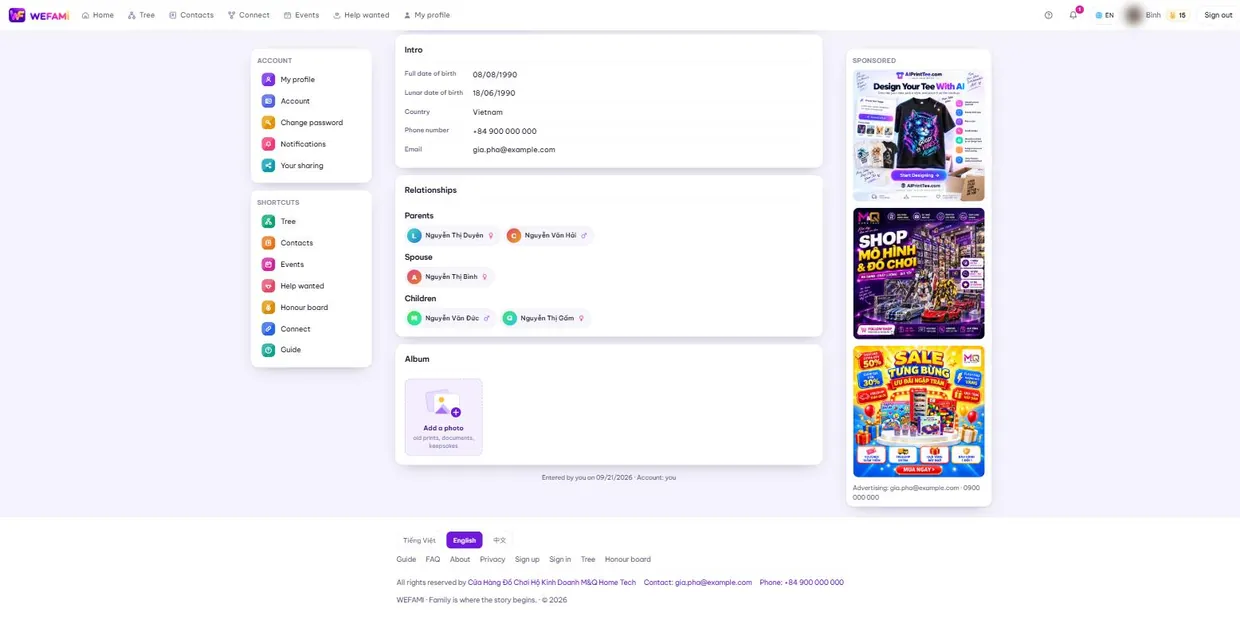
The Relationships block lists parents, spouse and children; click a name to go straight there.
The Album keeps old photographs, documents and keepsakes. Each picture takes a caption — a picture with no caption is a picture nobody can identify in thirty years.
5Profile photo and cover
The small pencil on the corner of the profile photo changes it. The cover changes with the Change cover photo button on the right of the colour band.
With no photo, a drawn portrait appears, picked by sex and age, on a colour of that person’s own — not an empty grey square.
Support
Stuck on anything, however small, just write. Nothing is a silly question the first time you use something.
Calling during Vietnamese office hours is quickest; outside those hours write instead and you will hear back the next working day.
For a bug, please say: which page you were on, what you clicked when it broke, and whether you are on a computer or a phone. A screenshot helps. Never send your password — we will never ask for it.